Feature
One inbox for replies, one pipeline for every lead
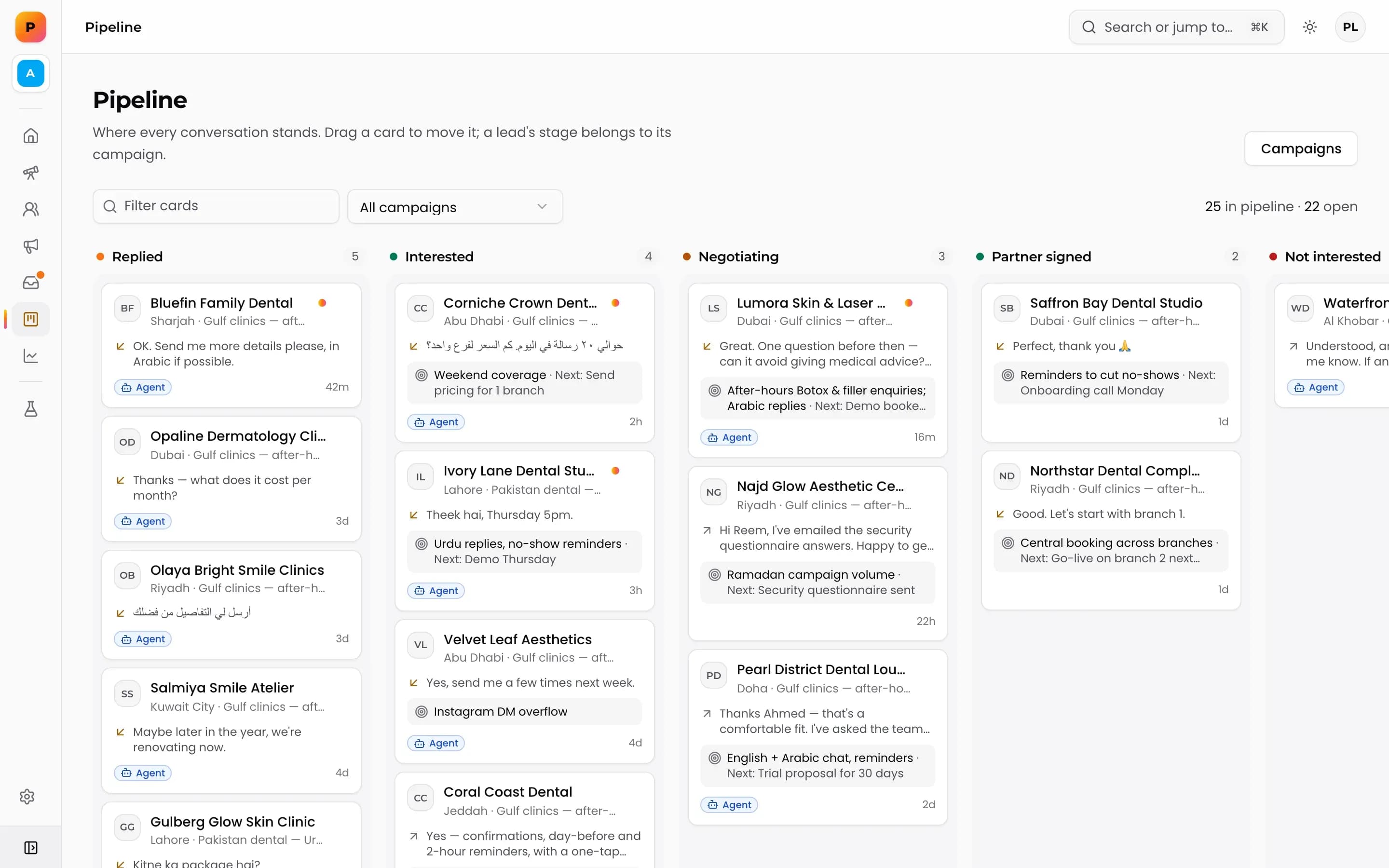
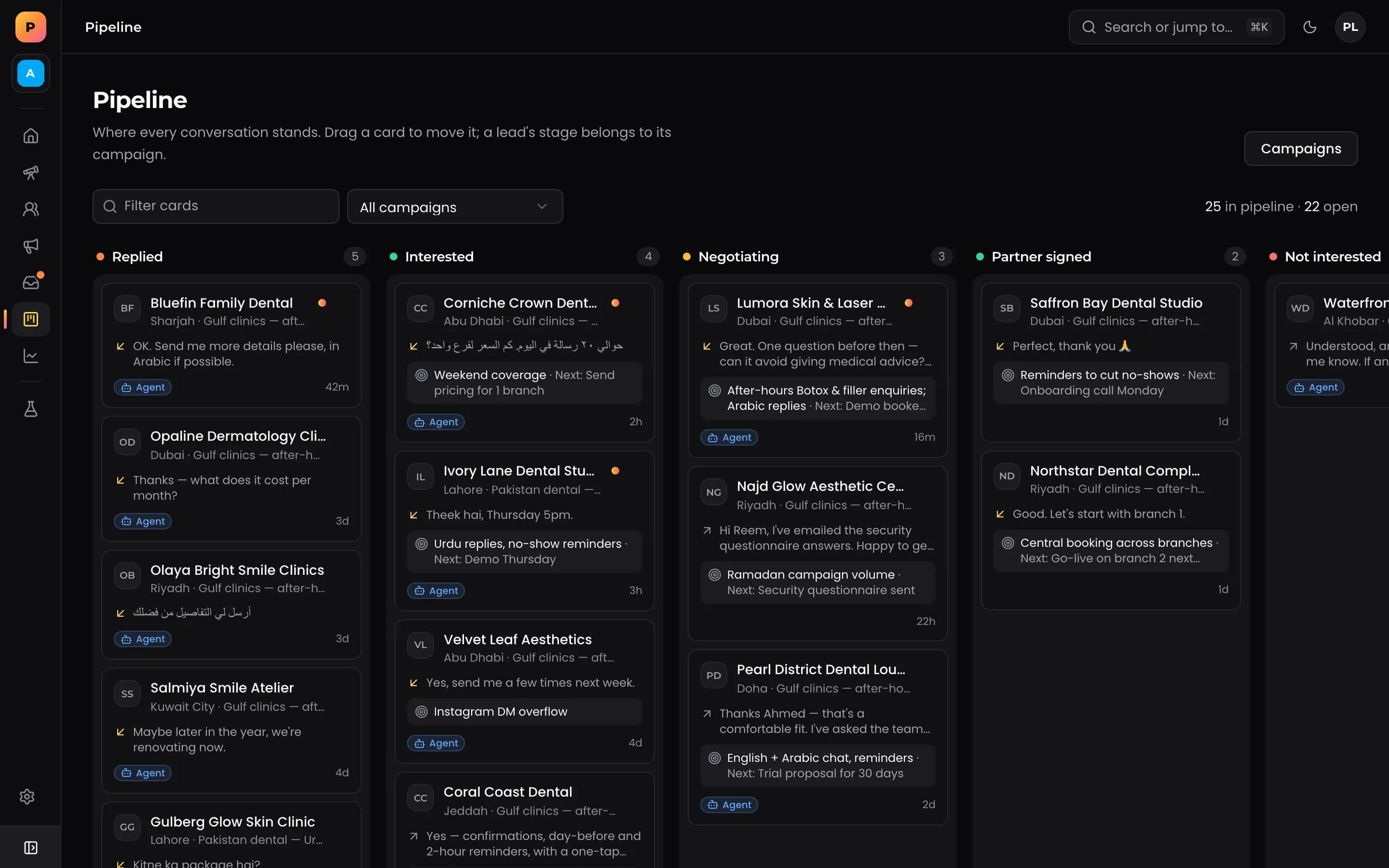
The inbox collects every reply from your campaigns in one place, with filters that show which conversations need you, and lets you take over from the AI agent in one click. The pipeline shows every lead as a card on kanban stages, so you can see what is moving and what is stuck.
The inbox
Replies from all your linked numbers and campaigns land in a single inbox. You do not need to check several phones to know who wrote back.
- To handle. Conversations waiting on you, including ones the AI sales agent has handed over.
- They wrote last. Conversations where the lead sent the most recent message.
- All. Every conversation, for when you need to look something up.
- Take over. Step into any conversation and the agent steps back.
The pipeline
Every lead sits on a kanban board as a card in a stage. Move a card when the conversation moves. Because leads are scoped per product, you can see each product's pipeline on its own.
A daily routine that takes minutes
- 1Open the inbox on To handle and clear it first.
- 2Switch to They wrote last to catch anyone waiting on a reply.
- 3Move leads on the pipeline as conversations change.
- 4Check the stages for cards that have not moved, and follow up.
Inbox and pipeline compared with a phone and a spreadsheet
| Phone plus spreadsheet | Prime Leads Finder | |
|---|---|---|
| Replies across several numbers | Several phones to check | One inbox |
| Knowing what needs you | Scrolling chats | To handle filter |
| Lead stage | A column someone forgets to update | Kanban card per lead |
| AI replies | None | Agent answers, you take over any time |
| CRM | Copy and paste | Two-way sync with Atrix CRM |
Connected to the rest
Interested leads can sync to Atrix CRM as a company, contact and deal through CRM sync, and stage changes sync both ways. The conversations in the inbox also feed sales insights, which surface the objections and questions that come up most.
Handling each kind of reply
Most replies to a first message fall into a few types. Deciding in advance how to handle each keeps response times short.
- Interested. Reply quickly, move the card forward and, if you use CRM sync, let the deal appear in Atrix CRM.
- A question. Let the AI sales agent answer from the playbook, or answer it yourself if it is outside the playbook.
- Not now. Note the reason and move the card to a stage you revisit later.
- Not interested. Thank them and close the card. Their reason feeds sales insights.
- STOP or unsubscribe. Nothing to do: they are suppressed across every campaign automatically.
Frequently asked questions
Do I need to check each linked number separately?
No. Replies from every linked number and campaign in your workspace land in the same inbox.
What does the To handle filter show?
Conversations that are waiting on a person, including ones the AI sales agent has handed over.
Is there a pipeline per product?
Leads belong to a product, so you can view each product's pipeline separately.
Do pipeline stages sync with a CRM?
Yes, with Atrix CRM. Stage changes sync both ways.
What happens to a conversation when I take over from the AI agent?
The agent steps back and you reply yourself. The conversation stays in the same inbox thread, so the lead sees one continuous chat.
Do opt-outs show up in the inbox?
A lead who replies STOP, UNSUBSCRIBE or similar is suppressed across every campaign at once, so you do not need to act on it. You can also add numbers to the suppression list by hand.
More features
Find your next customers this week.
Prime Leads Finder is opening to new teams in waves. Tell us what you sell and we'll get you in.